Why Your Desk Setup Matters More Than You Think
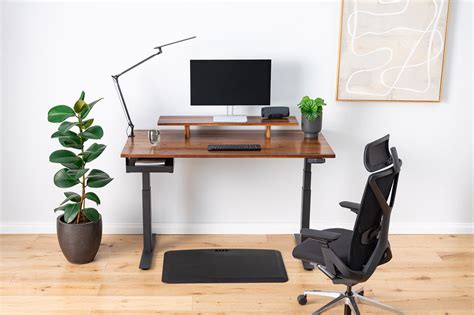
In today’s remote and hybrid work environments, many of us spend countless hours tethered to our desks. While convenience is a perk, prolonged periods of sitting or working in poor postures can lead to a host of issues, from chronic back and neck pain to carpal tunnel syndrome and reduced productivity. The solution isn’t just to work less, but to work smarter by optimizing your workspace.
An ergonomic desk setup is more than just fancy gear; it’s an investment in your health, comfort, and ultimately, your efficiency. By minimizing physical strain and promoting healthy posture, you can mitigate discomfort, reduce the risk of injuries, and maintain focus for longer periods, leading to a significant boost in your overall productivity.
Core Components of an Ergonomic Desk Setup
The Ergonomic Office Chair: Your Foundation
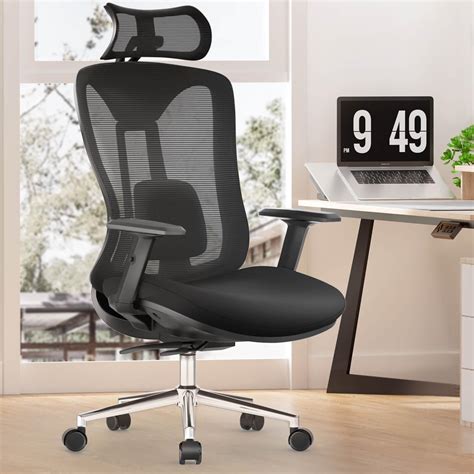
A high-quality ergonomic chair is arguably the most critical component of any healthy workspace. It should support the natural curve of your spine, allowing your feet to be flat on the floor (or a footrest) and your hips slightly higher than your knees. Look for chairs with extensive adjustability, including:
- Height Adjustment: To ensure your feet are flat and forearms parallel to the floor.
- Lumbar Support: Adjustable to fit the curve of your lower back.
- Armrests: Adjustable in height and pivot to support your forearms without shrugging your shoulders.
- Seat Depth and Tilt: To prevent pressure on the back of your knees and encourage proper pelvic alignment.
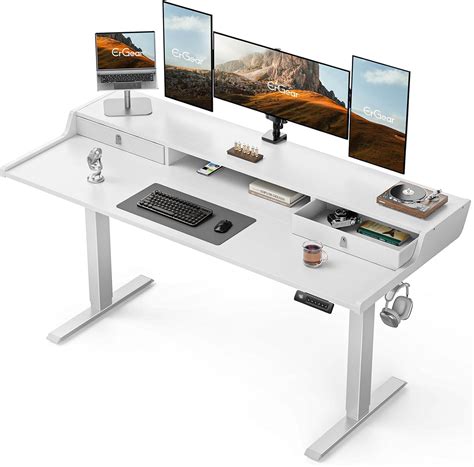
The Versatile Standing Desk: Sit-Stand Freedom
Even with the best ergonomic chair, prolonged sitting is detrimental to health. A sit-stand desk allows you to alternate between sitting and standing throughout the day, improving circulation, reducing back pain, and boosting energy levels. When choosing a standing desk, consider:
- Stability: A wobbly desk is distracting and unsafe.
- Height Range: Ensure it accommodates your specific height for both sitting and standing.
- Memory Presets: For quick and easy transitions between preferred sitting and standing heights.
- Motor Type: Dual-motor desks are typically faster and more stable.
Monitor Placement & Arms: Eye and Neck Health
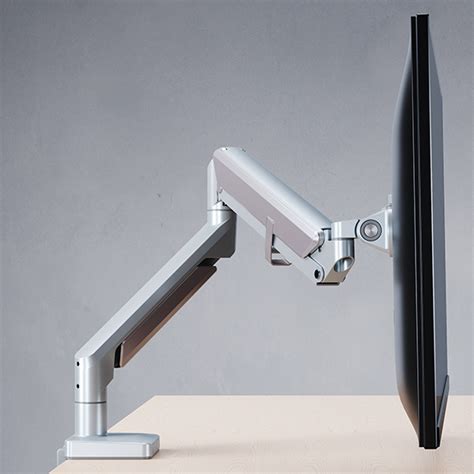
Your monitor’s position significantly impacts neck and eye strain. Ideally, the top of your screen should be at or slightly below eye level, and about an arm’s length away. Monitor arms are invaluable for achieving this perfect placement and offering flexibility. They allow you to:
- Adjust Height and Depth: Precisely position your screen to minimize neck bending.
- Free Up Desk Space: Clamping to the desk edge, they lift monitors off the surface.
- Support Multiple Monitors: Allowing for a seamless dual or triple monitor setup.
Ergonomic Keyboard & Mouse: Wrist and Hand Protection
Repetitive strain injuries (RSIs) are common among computer users. An ergonomic keyboard and mouse can alleviate pressure on your wrists and hands. Look for:
- Split or Curved Keyboards: To keep your wrists in a neutral, natural position.
- Vertical or Trackball Mice: To reduce forearm pronation and wrist movement.
- Wrist Rests: To support your wrists, though they should be used during breaks, not while typing.
Essential Accessories: The Finishing Touches
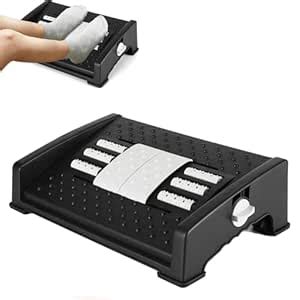
- Footrest: If your feet don’t comfortably reach the floor while maintaining proper chair height.
- Anti-Fatigue Mat: For comfort when standing at your desk.
- Proper Lighting: To reduce eye strain and glare.
- Cable Management: To keep your workspace tidy and hazard-free.
Beyond Gear: Ergonomic Practices for Sustained Well-being
Even with the best equipment, conscious habits are crucial. Remember to:
- Take Regular Breaks: Step away from your desk every 30-60 minutes to stretch or walk around.
- Change Positions: Utilize your sit-stand desk to alternate between sitting and standing.
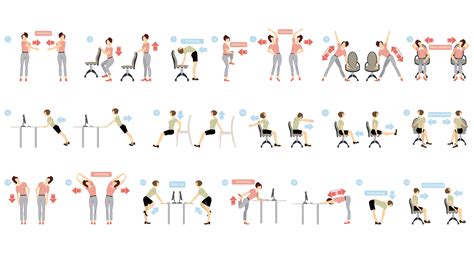
- Perform Stretches: Gentle neck, shoulder, and wrist stretches can prevent stiffness.
- Stay Hydrated: Keep a water bottle handy to encourage movement and well-being.
- Mind Your Posture: Regularly check in with your body to ensure you’re maintaining a neutral, relaxed posture.
Conclusion
Investing in an ergonomic desk setup is an investment in your long-term health and productivity. By carefully selecting the right gear and adopting healthy work habits, you can transform your workspace into a haven of comfort and efficiency, preventing pain and boosting your ability to tackle tasks with renewed vigor. Make the commitment today to build a workspace that works for you, not against you.