Building Your Productive & Ergonomic Home Office
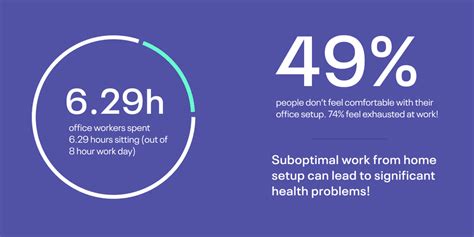
Working from home has become a cornerstone of modern professional life, making a well-equipped home office not just a luxury, but a necessity. To truly thrive in a remote setting, your workspace needs to be optimized for both peak productivity and long-term comfort. Investing in the right tech gear can significantly enhance your efficiency, reduce strain, and create an environment where you can do your best work.
This guide dives into the essential tech components that form the backbone of a high-performing and ergonomically sound home office, ensuring you’re set up for success from 9 to 5 and beyond.
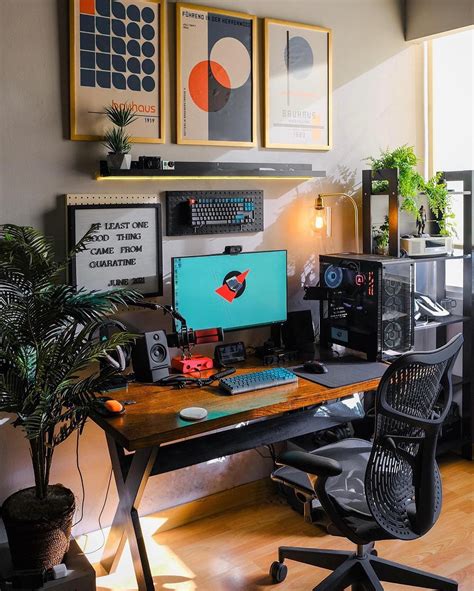
The Core: Your Computing Powerhouse
At the heart of any home office is your computer. While a laptop offers portability, a dedicated desktop setup often provides more power, upgradeability, and better ergonomics when paired with external peripherals.
- High-Performance Computer: Whether a laptop or desktop, ensure it has enough RAM (16GB+ recommended), a fast processor (Intel i5/Ryzen 5 or higher), and an SSD for quick boot times and application loading.
- Reliable Internet Connection: This is non-negotiable. Opt for the fastest and most stable internet service available in your area, and consider a wired Ethernet connection for your primary workstation to minimize latency and dropouts.
Displaying Excellence: Monitors for Clarity and Space
Multiple monitors are a game-changer for productivity, allowing you to multitask efficiently without constantly switching windows.
- Dual Monitors or Ultrawide: A two-monitor setup (24-27 inches) or a single ultrawide monitor can dramatically expand your digital workspace, making research, coding, and design tasks far more manageable.
- Monitor Arms: These are crucial for ergonomics. Monitor arms allow you to position your screens at the optimal height and distance, reducing neck and eye strain. Look for models with VESA mounting compatibility.
- High Resolution: Opt for monitors with at least 1080p (Full HD), but 1440p (QHD) or even 4K can provide even sharper text and more screen real estate.
Input Mastery: Keyboards & Mice for Comfort and Control
Your keyboard and mouse are your primary interaction points with your computer; comfort here is paramount.
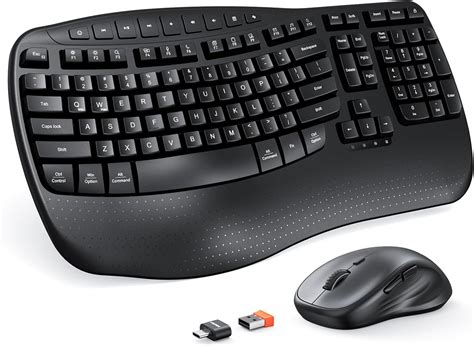
- Ergonomic Keyboard: A split or contoured ergonomic keyboard can reduce wrist strain. Mechanical keyboards offer a satisfying typing experience, but ensure they are not too loud if you share a space.
- Ergonomic Mouse: Vertical mice, trackballs, or ergonomic sculpted mice can alleviate wrist pain. Experiment to find what feels best for your hand and workflow.
- Mouse Pad with Wrist Rest: A simple yet effective addition for comfort.
Sound & Vision: Crystal Clear Communication
For virtual meetings and collaborations, clear audio and video are essential for professional communication.
- High-Quality Webcam: Built-in laptop cameras are often subpar. Invest in an external 1080p or 4K webcam for crisp video quality.
- Dedicated Microphone: A good USB microphone (like a condenser mic) will make your voice sound professional, far superior to most headset mics.
- Comfortable Headphones/Headset: Noise-canceling headphones are excellent for focus, while a comfortable headset with a clear microphone is ideal for long calls.

Powering Up and Staying Connected
Keeping all your gear powered and connected seamlessly is crucial for an organized and efficient workspace.
- USB-C Docking Station: If you use a laptop, a docking station can turn a single USB-C port into multiple ports for monitors, peripherals, and charging, reducing cable clutter.
- USB Hub: For desktops or when you need more USB ports, a powered USB hub ensures all your devices get sufficient power.
- Surge Protector with Ample Outlets: Protect your valuable electronics from power surges and ensure you have enough outlets for all your devices.
- Cable Management Solutions: Cable ties, sleeves, and under-desk trays help keep your workspace tidy and prevent tangles.

Enhancing Your Workspace with Smart Tech
Beyond the core components, certain smart tech can further refine your home office environment.
- Smart Lighting: Dimmable, color-tunable smart lights can help reduce eye strain and set the right ambiance for different tasks throughout the day.
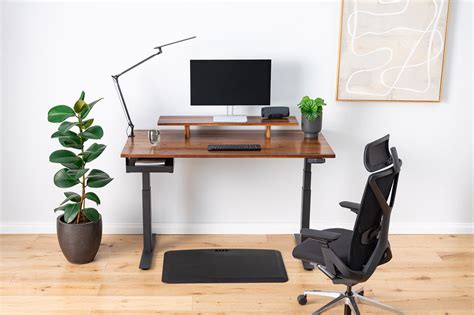
- Standing Desk Converter or Full Standing Desk: While not strictly ‘tech’ in the traditional sense, a motorized standing desk or converter allows you to alternate between sitting and standing, which is vital for long-term health and focus.
Conclusion
Creating an ideal home office environment is an ongoing process, but starting with these essential tech components will lay a solid foundation. By prioritizing both productivity tools and ergonomic considerations, you can transform your remote workspace into a hub of efficiency and comfort. Invest wisely, set up thoughtfully, and enjoy the benefits of a home office designed for success.