Transform Your Workspace: The Power of Ergonomic Gear
In today’s office-centric world, whether you’re working from home or a traditional corporate environment, prolonged sitting and improper posture are silent culprits behind a myriad of health issues, chief among them chronic back pain. Beyond discomfort, these issues significantly drag down productivity and overall well-being. Investing in ergonomic office gear isn’t just a luxury; it’s a necessity for maintaining health, focus, and efficiency. Let’s explore the essential items that can revolutionize your workspace.
The Cornerstone: An Ergonomic Office Chair
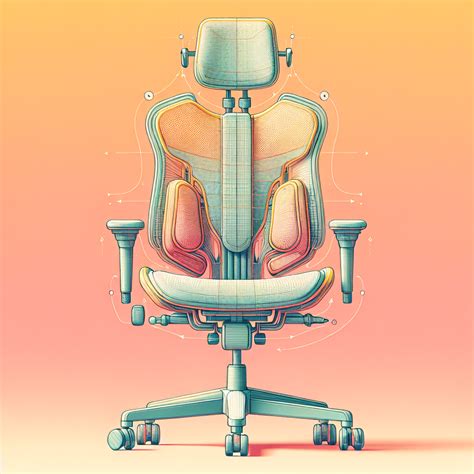
No piece of office equipment is more critical than your chair. A high-quality ergonomic chair is designed to support the natural curve of your spine, promote proper posture, and distribute your weight evenly. Look for features like adjustable lumbar support, seat height and depth adjustment, armrests, and a breathable material. A well-adjusted chair alleviates pressure points, reduces strain on your lower back, and allows you to sit comfortably for extended periods without slouching or discomfort.
Embrace Movement: The Standing Desk
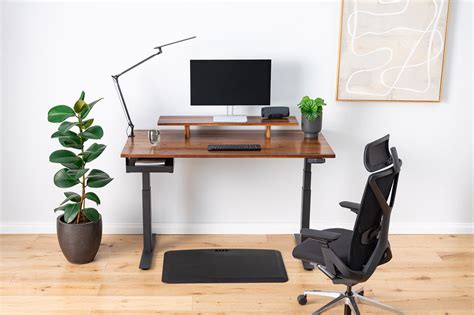
Even with the best ergonomic chair, static posture is detrimental. A standing desk, especially a sit-stand model, introduces dynamic movement into your workday. Alternating between sitting and standing throughout the day improves circulation, reduces the risk of weight gain, and can even boost energy levels and cognitive function. It takes pressure off your lower back and encourages micro-movements that are crucial for spinal health. Many find that standing during certain tasks, like taking calls or short meetings, enhances focus and engagement.
When using a standing desk, ensure your monitor is at eye level and your arms are at a comfortable 90-degree angle, just as you would when sitting. A good anti-fatigue mat can significantly enhance comfort during standing periods.
Precision and Comfort: Ergonomic Keyboard and Mouse
Your input devices play a surprisingly large role in upper body comfort. Traditional keyboards and mice can force your wrists into unnatural angles, leading to carpal tunnel syndrome, repetitive strain injuries (RSIs), and shoulder or neck pain. Ergonomic keyboards often feature a split design, negative tilt, or contoured keys to keep your wrists straight and your hands in a more natural position.
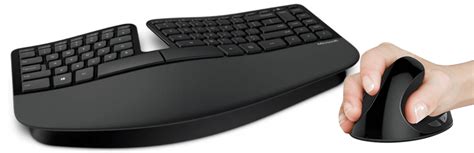
Similarly, an ergonomic mouse can be vertical, trackball, or contoured, designed to reduce wrist pronation and provide a more natural grip. Using these can prevent strain, improve accuracy, and allow for pain-free navigation through your digital tasks.
Visual Harmony: Monitor Arms and Proper Placement
The positioning of your monitor directly impacts your neck and eye health. Ideally, the top of your monitor screen should be at or slightly below eye level, with the screen about an arm’s length away. This prevents you from craning your neck up or down, which can lead to neck stiffness and headaches. A monitor arm offers unparalleled flexibility, allowing you to easily adjust height, depth, and tilt, whether sitting or standing.
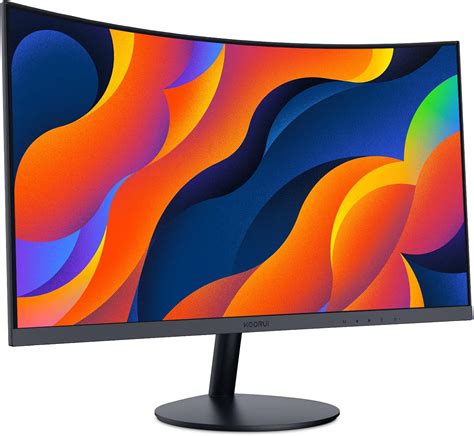
For dual monitor setups, ensure both screens are positioned symmetrically and within your comfortable field of vision to minimize head turning.
The Supporting Cast: Essential Accessories
Footrests:
If your feet don’t sit flat on the floor with your knees at a 90-degree angle, a footrest is invaluable. It supports proper leg circulation, reduces pressure on your lower back, and helps maintain good posture by preventing slouching.
Lumbar Support Pillows:
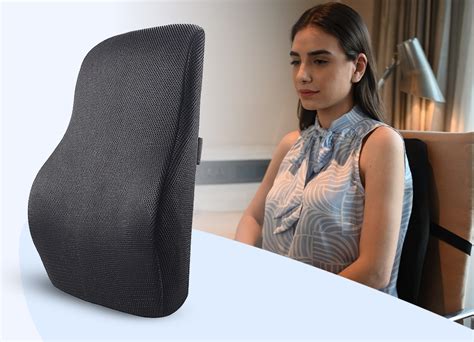
Even with an ergonomic chair, some individuals might benefit from additional lumbar support, especially if their chair’s built-in support isn’t perfectly customized. A good lumbar pillow fills the natural curve of your lower back, maintaining the spine’s natural S-shape.
Lighting:
Proper lighting is crucial to reduce eye strain. Ensure your workspace is well-lit, avoiding glare on your screen. Natural light is best, but a good desk lamp can supplement and help reduce harsh shadows.
Cable Management:
While not directly ergonomic, a tidy workspace contributes to a clear mind and reduces trip hazards. Good cable management keeps your desk free of clutter, enhancing both aesthetics and safety.
Beyond Gear: Cultivating Ergonomic Habits
Even the best gear won’t work miracles without conscious effort. Remember to take regular breaks, stretch frequently, and consciously check your posture throughout the day. Set reminders to stand, walk around, or perform simple stretches every hour. Hydration and good nutrition also play a role in overall physical well-being.
Conclusion: Your Investment in Health and Performance
Investing in essential ergonomic office gear is an investment in your long-term health, comfort, and productivity. By optimizing your workspace with an ergonomic chair, standing desk, proper peripherals, and strategic accessories, you can significantly mitigate back pain, reduce the risk of other work-related injuries, and create an environment where you can truly thrive. Prioritize your well-being, and watch your focus and output soar.