Transform Your Workspace: The Ultimate Guide to Ergonomic Desk Gear
In today’s fast-paced work environment, many of us spend countless hours seated at a desk. While productivity is paramount, the toll this can take on our physical well-being—especially our back, neck, and wrists—is often overlooked. A poorly set up workspace can lead to chronic pain, reduced focus, and long-term health issues. The good news is that with the right ergonomic desk gear, you can create a sanctuary of comfort and efficiency, preventing pain and boosting your output.
The Foundation: Your Ergonomic Office Chair
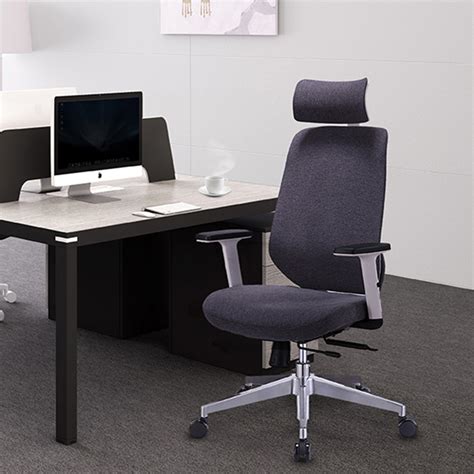
An ergonomic chair is not just a luxury; it’s a necessity for anyone spending significant time at a desk. Look for chairs with adjustable lumbar support, seat depth, armrests, and recline functions. The goal is to support the natural curve of your spine, keep your feet flat on the floor (or a footrest), and allow your arms to rest comfortably at a 90-degree angle to your keyboard.
Key features to consider:
- Adjustable Lumbar Support: Essential for maintaining the natural S-curve of your spine.
- Seat Depth Adjustment: Ensures 2-4 inches between the back of your knees and the edge of the seat.
- Armrests: Should support your forearms, allowing your shoulders to relax.
- Recline Function with Tilt Lock: Allows for dynamic sitting and pressure distribution.
Embrace Movement: Standing Desks and Converters
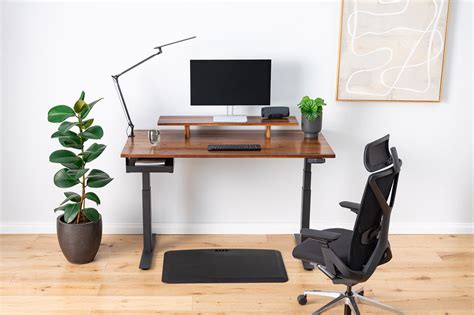
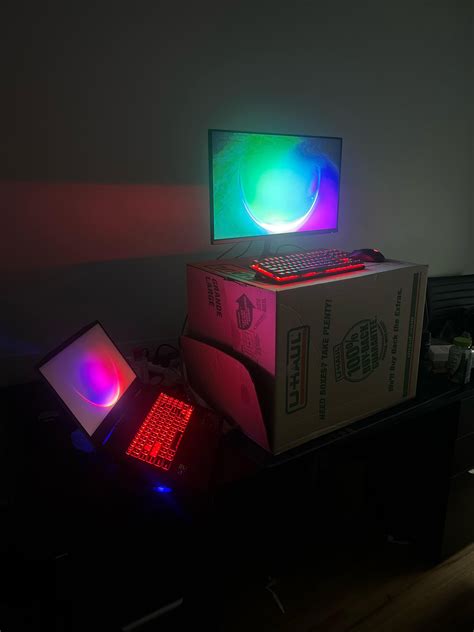
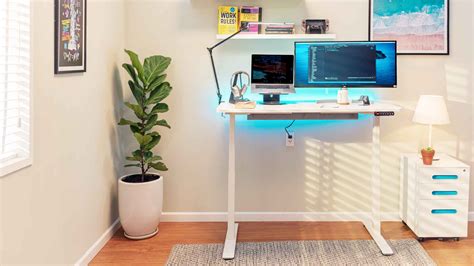
Prolonged sitting is often dubbed the “new smoking.” Integrating a standing desk or a standing desk converter into your setup can significantly mitigate the risks associated with sedentary work. The ability to switch between sitting and standing throughout the day improves circulation, reduces back pain, and can even boost energy levels and concentration.
Options for integrating standing:
- Full Standing Desk: Replaces your traditional desk, offering electric or manual height adjustment.
- Standing Desk Converter: Sits on top of your existing desk, allowing you to raise your monitor and keyboard for standing.
Remember to ease into standing and find a good sit-stand ratio that works for you, typically 20-30 minutes of standing for every hour of sitting.
Optimal Viewing: Monitor Arms
Monitor arms are unsung heroes of ergonomics. They allow you to position your screen(s) precisely at eye level, preventing neck strain and slouching. Your monitor should be about an arm’s length away, with the top of the screen at or slightly below eye level. Dual monitor arms are excellent for multi-screen setups, providing flexibility and saving valuable desk space.
Consider arms with gas springs for smooth, effortless adjustments, and ensure they can support the weight and size of your monitors.
Precision and Comfort: Ergonomic Keyboards and Mice
Your interaction points with your computer—the keyboard and mouse—are crucial. Non-ergonomic peripherals can lead to wrist pain, carpal tunnel syndrome, and repetitive strain injuries.
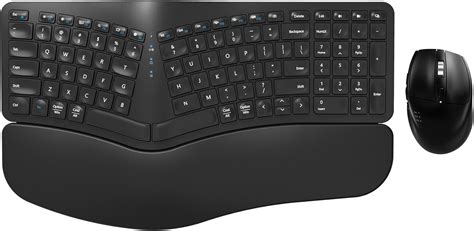
- Ergonomic Keyboard: Look for split designs, negative tilt, and cushioned wrist rests. These reduce ulnar deviation and pronation.
- Ergonomic Mouse: Vertical mice, trackballs, or contoured mice can keep your wrist in a more natural, handshake-like position, reducing strain.
Invest in quality peripherals that fit your hand size and typing style to maintain neutral wrist alignment.
The Finer Details: Footrests and Lighting
While often overlooked, a good ergonomic setup includes more than just the main components:
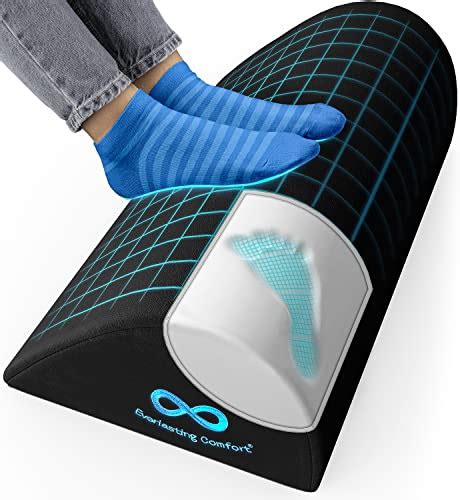
- Footrest: If your feet don’t comfortably rest flat on the floor when your chair is at the correct height, a footrest is essential. It supports proper leg circulation and posture.
- Lighting: Proper lighting reduces eye strain. Aim for natural light where possible, or use a desk lamp that provides even, glare-free illumination without casting shadows on your screen.
Setting Up Your Ergonomic Haven
Having the right gear is only half the battle; knowing how to set it up correctly is key:
- Chair First: Adjust your chair so your feet are flat on the floor (or footrest) and your knees are at a 90-degree angle. Your hips should be slightly higher than your knees.
- Monitor Position: Position your monitor(s) so the top edge is at or slightly below eye level, about an arm’s length away.
- Keyboard and Mouse: Keep them close to your body, allowing your elbows to remain at a 90-100 degree angle. Your wrists should be straight, not bent up, down, or to the side.
- Clear Workspace: Keep frequently used items within easy reach to avoid twisting or stretching.
- Take Breaks: Even with the best setup, regular micro-breaks (every 20-30 minutes) to stretch and move are vital.
Conclusion: Invest in Your Well-being and Productivity
An ergonomic desk setup is an investment in your health, comfort, and ultimately, your productivity. By thoughtfully choosing and arranging gear like an adjustable chair, standing desk, monitor arms, and ergonomic peripherals, you can transform your long hours at the computer from a source of strain into an environment of sustained focus and well-being. Prioritize your body, and your work will thank you for it.