Revolutionize Your WFH Comfort: Combating Fatigue with Ergonomic Gear
Working from home offers unparalleled flexibility, but it also presents unique challenges, particularly when it comes to maintaining physical comfort and preventing fatigue. A poorly designed home office can quickly lead to strain, pain, and reduced productivity. Investing in ergonomic gear isn’t just a luxury; it’s a necessity for long-term health and efficiency in your WFH setup.
Ergonomics focuses on designing and arranging workplaces to fit the user, rather than forcing the user to fit the workplace. By optimizing your setup, you can minimize repetitive strain injuries, improve posture, reduce discomfort, and ultimately, stay energized and focused throughout your workday.
1. The Ergonomic Office Chair: Your Foundation of Support
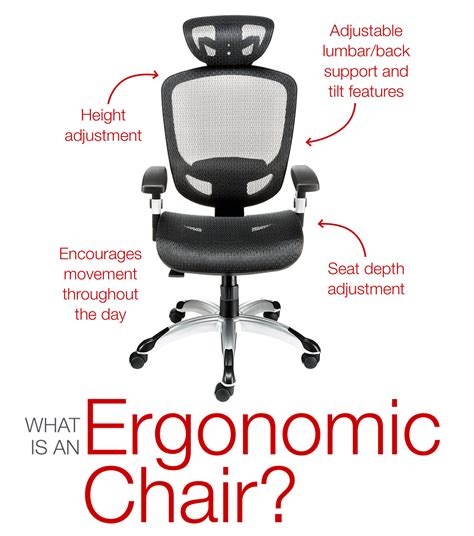
Perhaps the most critical piece of ergonomic gear, a high-quality ergonomic office chair provides essential lumbar support, adjustable height, armrests, and recline features. It should allow you to maintain a neutral spine, with your feet flat on the floor (or on a footrest) and your knees at a 90-degree angle. Investing in a chair that properly supports your body’s natural curves can dramatically reduce back pain and improve circulation.
- Key Features: Adjustable seat height, depth, tilt, lumbar support, armrests.
- Benefit: Prevents back pain, improves posture, reduces pressure points.
2. Adjustable Standing Desk: Dynamic Work, Less Strain
Sitting for prolonged periods has been linked to numerous health issues. An adjustable standing desk allows you to seamlessly switch between sitting and standing throughout the day, promoting better circulation, reducing spinal compression, and increasing energy levels. This dynamic approach to work can significantly alleviate fatigue and discomfort associated with static postures.
- Key Features: Electric or manual height adjustment, memory presets.
- Benefit: Combats sedentary lifestyle risks, improves energy, reduces back and neck pain.
3. Ergonomic Keyboard and Mouse: Hand and Wrist Health
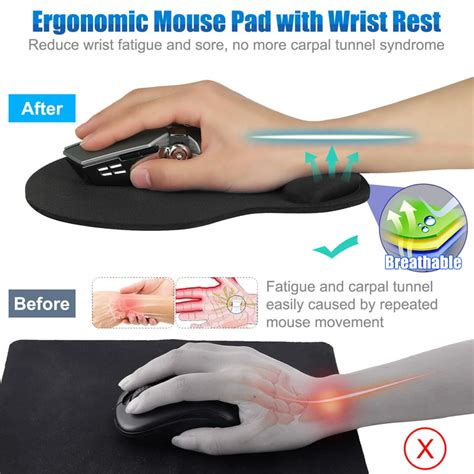
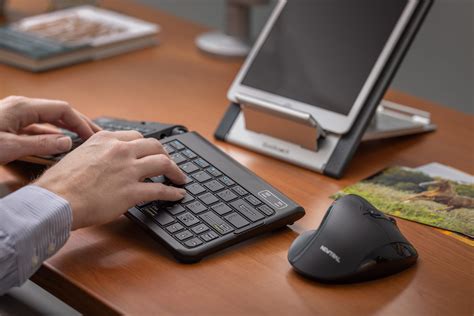
Your hands and wrists are constantly engaged during computer work, making them susceptible to conditions like carpal tunnel syndrome and repetitive strain injury (RSI). An ergonomic keyboard often features a split design or a wave shape that aligns your wrists and forearms in a more natural position. An ergonomic mouse, whether vertical or trackball, reduces wrist pronation and excessive movement, providing a more comfortable grip.
- Key Features (Keyboard): Split design, cushioned palm rest, customizable keys.
- Key Features (Mouse): Vertical grip, trackball, contoured shape, programmable buttons.
- Benefit: Prevents carpal tunnel syndrome, reduces wrist and forearm strain.
4. Monitor Arm or Riser: Eye and Neck Comfort
The positioning of your monitor directly impacts your neck and eye health. A monitor arm or riser elevates your screen to an optimal height, ensuring the top of your monitor is at or slightly below eye level, preventing you from craning your neck up or down. This simple adjustment can prevent neck stiffness, shoulder pain, and eye strain, which are common contributors to overall fatigue.
- Key Features: Adjustable height, tilt, swivel, rotation, single or dual arm.
- Benefit: Reduces neck strain, prevents headaches, minimizes eye fatigue.
5. Laptop Stand and External Peripherals: The Mobile Ergonomic Solution
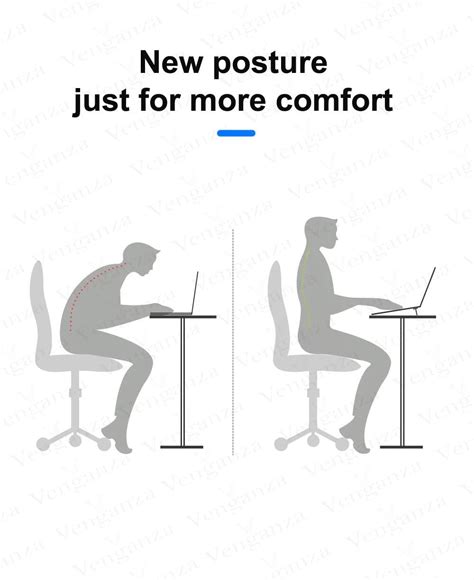
If you primarily work on a laptop, a laptop stand is indispensable. It raises your screen to an ergonomic height, but this requires you to use an external keyboard and mouse. Failing to do so can lead to an uncomfortable neck angle and cramped wrists. Pairing a laptop stand with external ergonomic peripherals creates a fully functional, ergonomic workstation even for those with limited space.
- Key Features: Adjustable height and angle, sturdy construction.
- Benefit: Elevates screen for better posture, allows use of ergonomic keyboard/mouse.
Bonus: Ergonomic Footrest
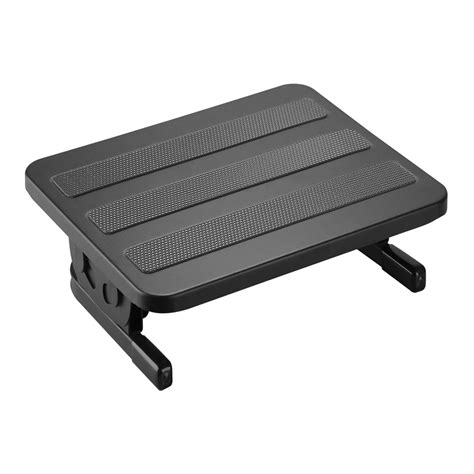
For those who find their feet don’t quite reach the floor comfortably, or if your chair doesn’t allow for proper 90-degree knee angle, an ergonomic footrest is a game-changer. It supports your feet and promotes proper leg circulation, further reducing discomfort and fatigue, especially during long periods of sitting.
Investing in Your Well-being
Transitioning to an ergonomic WFH setup isn’t just about buying new gear; it’s an investment in your long-term health, productivity, and overall well-being. By integrating these essential ergonomic items, you can create a workspace that actively combats fatigue, allowing you to work smarter, healthier, and with sustained comfort every day.