Why Ergonomic Gear is Non-Negotiable for Your Home Office
Working from home (WFH) offers immense flexibility, but it often comes with the challenge of setting up an office space that supports your physical well-being. Prolonged periods in an ill-suited environment can lead to discomfort, pain, and reduced productivity. Investing in ergonomic gear isn’t just a luxury; it’s a vital investment in your health and long-term efficiency. This guide outlines the essential gear you need to create a comfortable, healthy, and highly productive home office.
The Foundation: An Ergonomic Office Chair
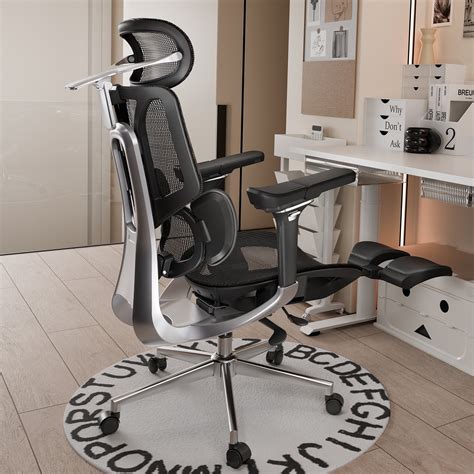
Your chair is arguably the most critical piece of ergonomic equipment. A good ergonomic chair provides proper support for your spine, reducing strain on your back and neck. Look for chairs with adjustable features:
- Lumbar Support: Crucial for maintaining the natural curve of your lower back.
- Adjustable Height: Your feet should be flat on the floor or on a footrest, with your knees at a 90-degree angle.
- Armrests: Should support your forearms, allowing your shoulders to relax, and be adjustable in height and width.
- Seat Depth and Tilt: To ensure proper thigh support and an open hip angle.
The Dynamic Duo: Standing Desk or Monitor Arm
Static posture, whether sitting or standing, isn’t ideal. The key to ergonomic health is movement and variation. Incorporating a standing desk or a monitor arm allows you to change your posture throughout the day.
Adjustable Height Standing Desk
An electric or manual standing desk allows you to easily switch between sitting and standing, promoting better circulation, reducing back pain, and increasing alertness. When standing, ensure your monitor is at eye level and your arms are at a comfortable angle.
Monitor Arms
If a standing desk isn’t feasible, a monitor arm is an excellent alternative. It allows you to raise your screen to eye level, preventing neck strain from looking down. Dual monitor arms are perfect for multi-screen setups, ensuring both displays are optimally positioned.
Hand & Wrist Health: Ergonomic Keyboard and Mouse
Repetitive strain injuries (RSIs) are common in desk jobs, often stemming from poorly designed keyboards and mice. Ergonomic peripherals can make a significant difference.
- Ergonomic Keyboards: Split or curved keyboards can reduce wrist deviation, while mechanical keyboards with softer presses can minimize finger strain.
- Ergonomic Mouse: Vertical mice keep your wrist in a more natural handshake position, while trackballs or roller mice reduce the need for arm movement.
Optimizing Your View: Monitor Setup
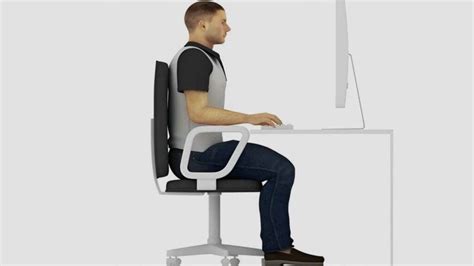
Proper monitor placement is crucial for eye and neck health. Your monitor should be:
- At Arm’s Length: Roughly 20-40 inches from your eyes.
- At Eye Level: The top of the screen should be level with your eyes, preventing you from craning your neck.
- Centered: If using a single monitor, it should be directly in front of you. For dual monitors, position them to minimize head turning.
Supporting Accessories for Optimal Posture
Beyond the core items, several accessories can further enhance your ergonomic setup:
- Footrest: If your feet don’t touch the floor while sitting, a footrest can maintain proper leg and back alignment.
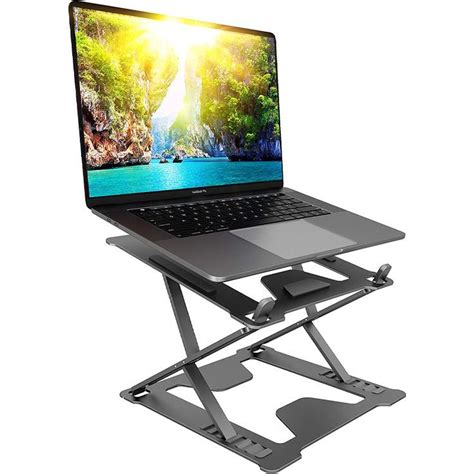
- Laptop Stand: Elevates your laptop screen to eye level, crucial if you primarily work on a laptop (always pair with an external keyboard and mouse).
- Document Holder: Keeps reference materials at the same height as your monitor, reducing neck movement.
- Anti-Fatigue Mat: Essential if you use a standing desk for extended periods, it cushions your feet and legs.
The Importance of Lighting and Environment
While not strictly ‘gear’, your environmental factors play a huge role in WFH health.
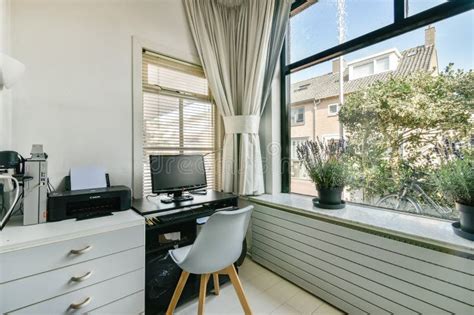
- Natural Light: Position your desk to take advantage of natural light, avoiding glare on your screen.
- Task Lighting: A good desk lamp can reduce eye strain, especially during darker hours.
- Minimal Clutter: A tidy workspace promotes mental clarity and reduces stress.
Beyond Gear: Movement and Breaks
Even with the best ergonomic setup, regular movement and breaks are vital. Stand up, stretch, walk around, or do a quick exercise every 30-60 minutes. Your body is designed to move, and no amount of ergonomic gear can replace the benefits of physical activity.

Conclusion: Invest in Your Well-being
Building an ergonomic home office setup is an investment in your health, comfort, and long-term productivity. By prioritizing essential gear like an adjustable chair, a dynamic desk or monitor arm, and ergonomic peripherals, you can transform your WFH experience from a potential source of pain into a haven of efficiency and well-being. Your body will thank you, and your work will undoubtedly benefit.